Stop Guessing When To Enter.
Start Trading With The Trend.
CC Trend Pro is the complete trading ecosystem that only alerts you when lower timeframes align with the 4-hour trend — so you stop chasing candles, stop fighting conflicting indicators, and stop guessing when to pull the trigger.
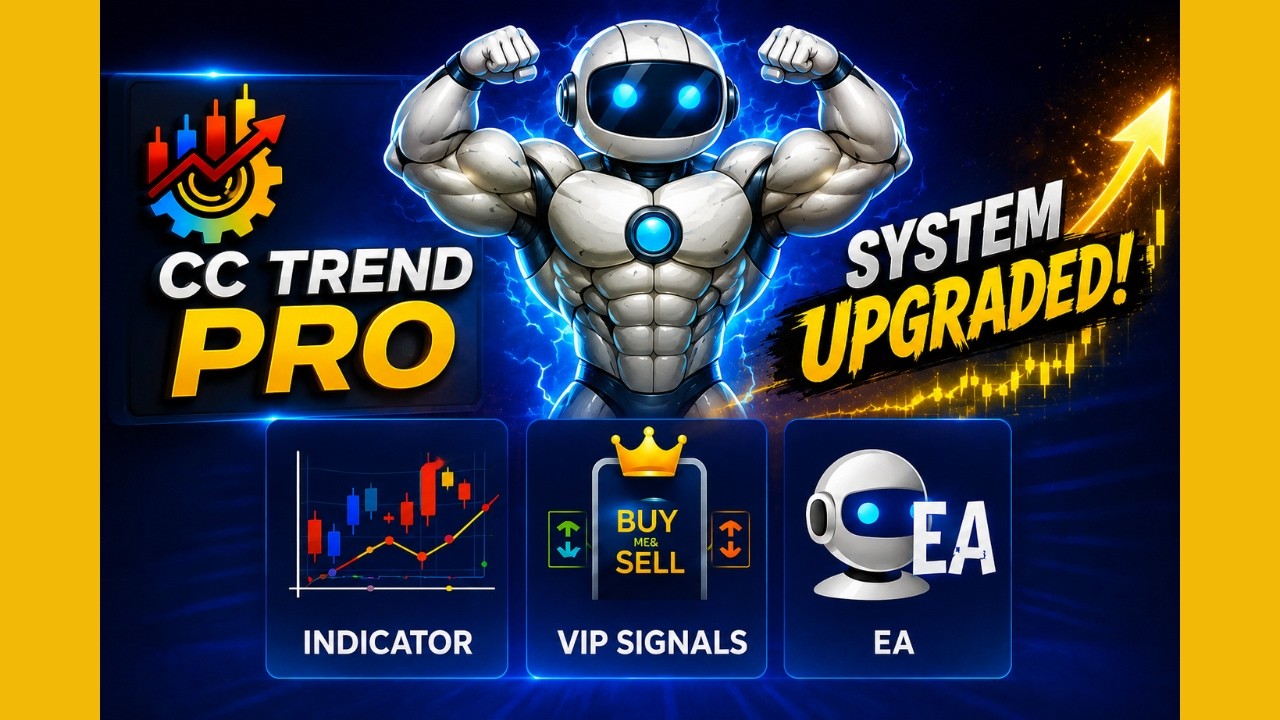
$197 one-time · no monthly fees · instant access
Sound familiar?
You chase candles after the move already happened.
Every indicator you add gives you a different, conflicting signal.
You freeze at entry because you're guessing, not following a system.
Here's the good news: none of that is a "you" problem. It's a no-system problem — and it's fixable.
Join the CC Trend Pro Inner Circle
Create your free account and instantly unlock a private trading community — signal previews, live market analysis, and thousands of traders who actually win.
-
Live Signal PreviewsGet weekly VIP signal previews in the community feed. See the system working before you upgrade.
-
Weekly Market AnalysisEvery Monday: full market outlook, key levels, and what the bot is watching this week.
-
Private Trader CommunityAccess our Discord/Telegram group — share setups, get feedback, and learn from members running the full system.
-
Free Strategy TrainingBeginner and intermediate trading guides built specifically around the CC Trend Pro system.
Your robot is already inside.
Are you?
Hundreds of traders already inside
⚡ Create Free AccountNo credit card · No commitment · Instant access
One System. Four Tools.
Choose how you want to trade — manually off the trend or the breakout, by following live alerts, or fully automated. You stay in control. The system does the heavy lifting.
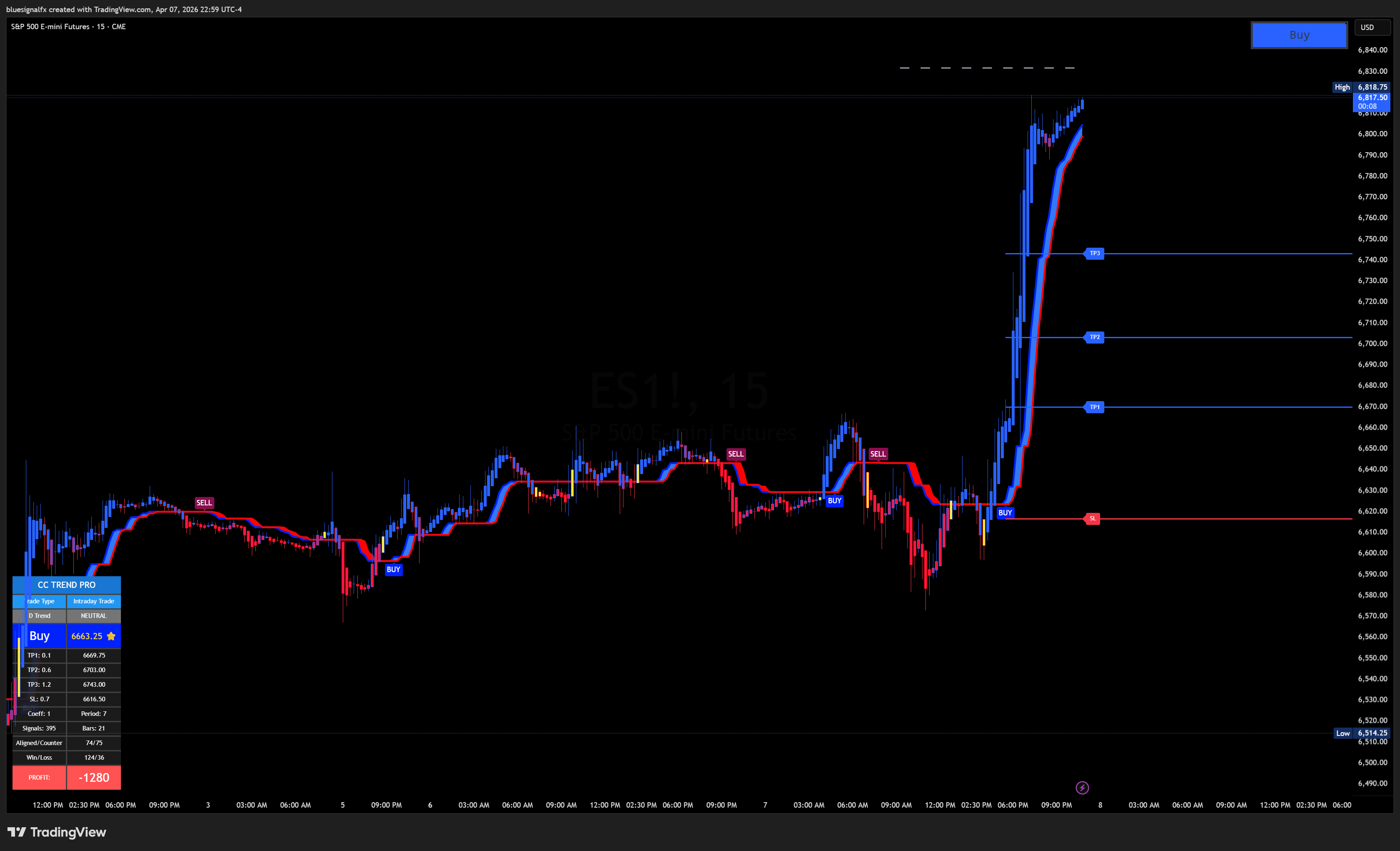
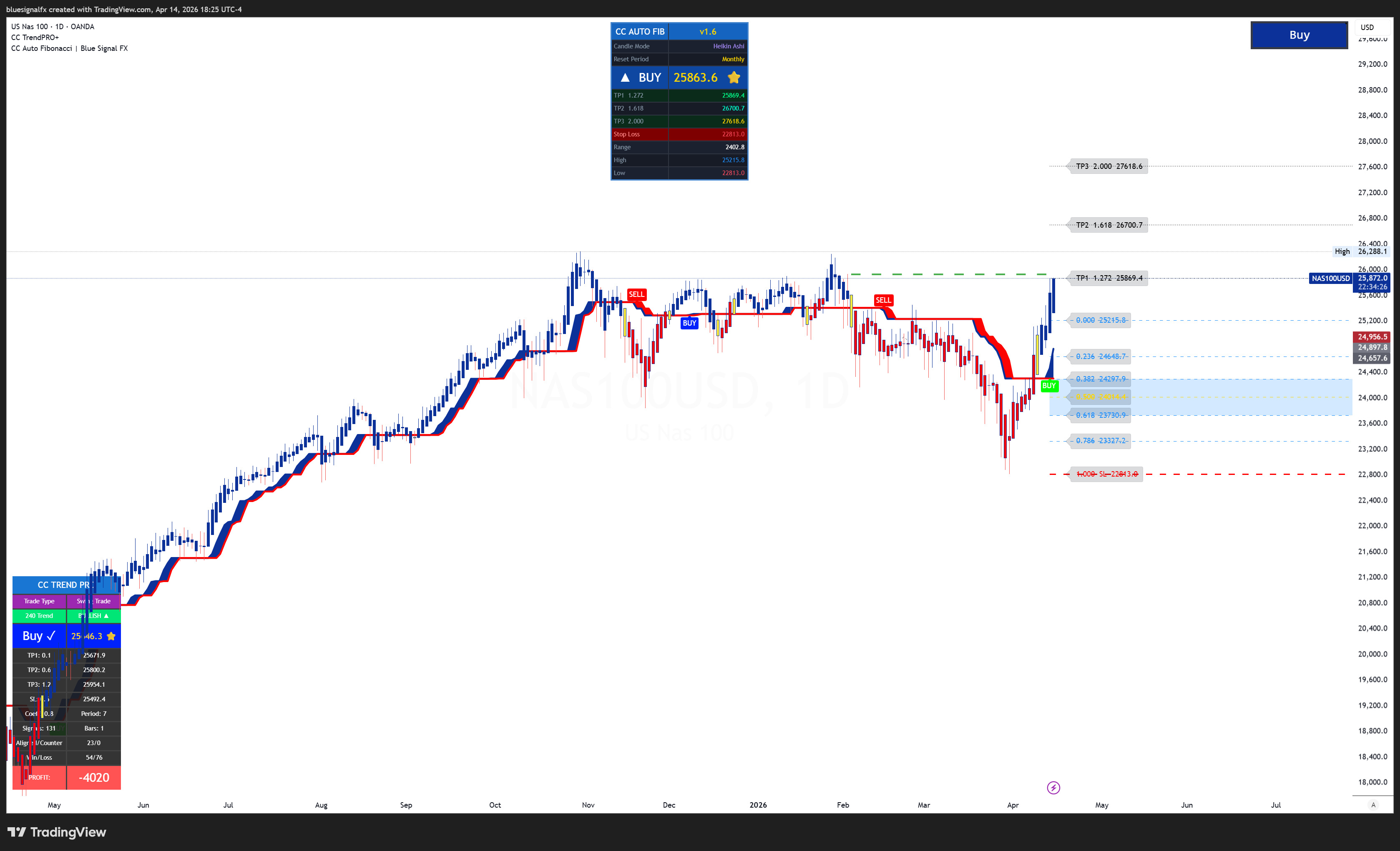
Trade manually with precise, high-probability entries aligned with the 4-hour trend — no guessing required.
- No-repaint signals — locks on candle close
- 3-tier take-profit levels + auto stop-loss
- Multi-timeframe dashboard
- Early entry system
- A+ signal grading — only the cleanest fire
- Works on Forex, Futures, Stocks & Crypto
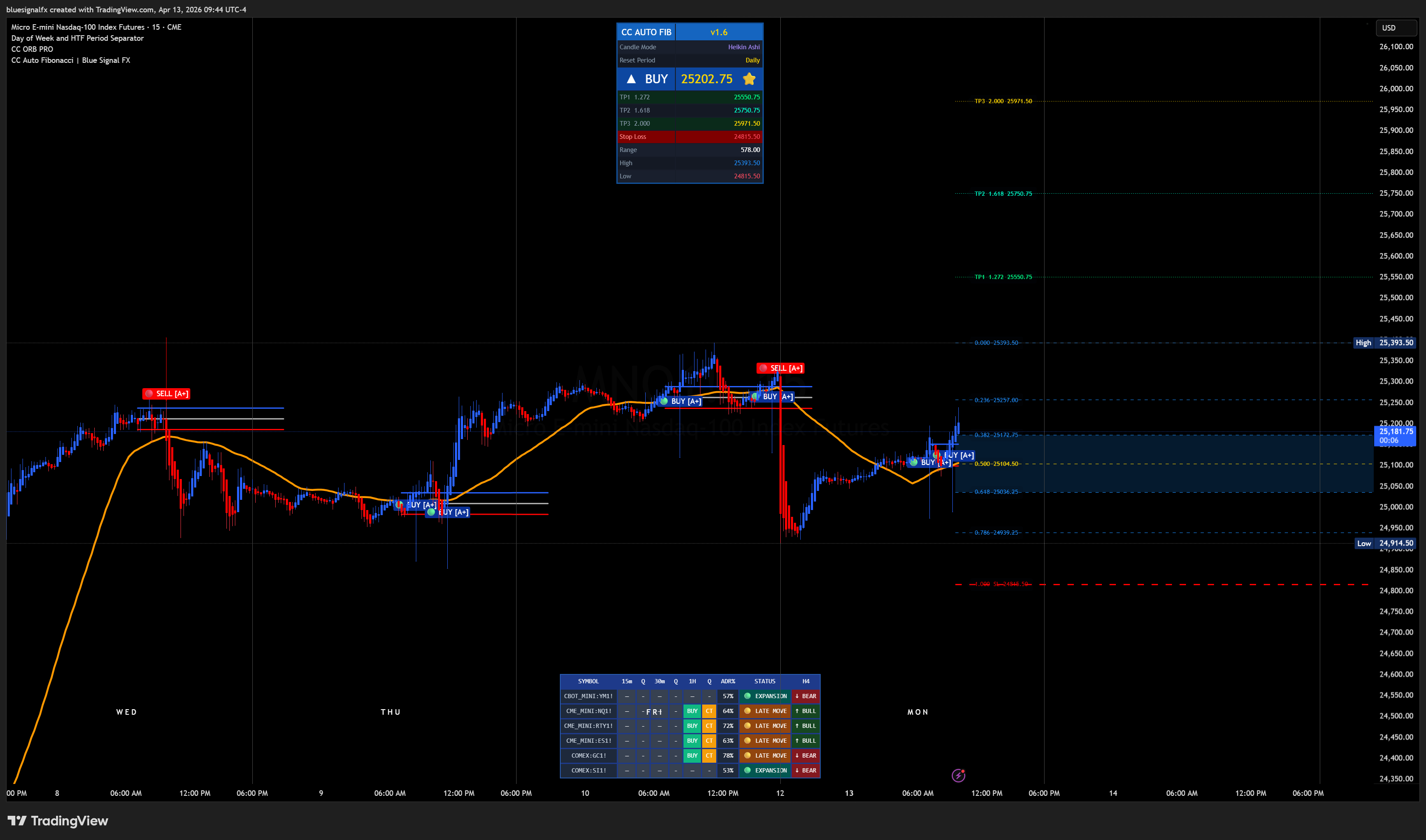
Cheat Code Opening Range Breakout — highlights high-probability breakout zones using the Opening Range, optimized for Heikin Ashi candles during key market sessions.
- Opening Range High/Low boundaries
- Breakout conditions with directional bias
- Multi-timeframe momentum confirmation
- Clean buy/sell signal overlays
- Works on major Forex, Futures & Crypto pairs
- Built for London/New York session breakouts
Follow VIP signals delivered in real time. Every alert includes entry, stop-loss, and take-profit — straight to your phone.
- Real-time buy & sell alerts
- Entry, SL & TP included on every call
- Context & trade management updates
- Mobile push notifications
- Direct community access
Automate your strategy with the 24/5 EA Bot. It monitors the market and executes trades around the clock — hands free.
- 24/5 automated execution
- Built-in risk management
- Session & news filters
- Multi-split take profit
- Compatible with TradeLocker
Why Traders Choose CC Trend Pro
Signals only appear when lower timeframes align with the higher timeframe trend.
Avoid pullbacks and focus on impulse moves with built-in trend confirmation.
Know exactly when conditions align — without staring at charts all day.
Let the EA monitor the market around the clock while you live your life.
Pay once. Own the system. No recurring costs, no subscriptions, ever.
What Members Are Saying
Real trades. Real results. Updated regularly.
I've tried dozens of indicator systems over the years. CC Trend Pro is the first one I've actually kept running. The bot does what it says — trades while I sleep.
The Telegram signals alone were worth the price. Clear entries, clear exits. I'm profitable most weeks just following along without even using the bot yet.
Setup took me less than an hour. The indicator is clean, the signals are consistent, and the community keeps you accountable. Best $197 I've spent on trading.
Everything Included. One Payment.
No subscriptions. No hidden fees.
One-time payment · No monthly fees · Immediate access
- CC Trend Pro Indicator
- CC ORB Indicator
- VIP Signals Access
- 24/5 EA Bot Coverage
- Future System Updates
- Community Support
Secure checkout · Instant delivery
The Trend Clarity Guarantee
This isn't a promise of certain profits — no honest trading system can make that claim. What CC Trend Pro guarantees is clarity: every signal, every alert, and every automated trade is filtered through the same Blueprint before it ever reaches you.
The goal isn't to predict every move.
The goal is to position yourself in front of where the higher timeframe is going.
Follow the Blueprint, and you will always know which way the trend is pointing before you take a trade — that's what you're guaranteed.
Frequently Asked Questions
No. The indicator is built to remove guesswork — it only fires signals when lower timeframes align with the 4-hour trend, so you're following a system rather than reading charts from scratch. Many members start with the VIP signals channel first and add the indicator once they're comfortable.
Forex (EUR/USD, GBP/USD, XAU/USD), Futures (NAS100, ES1!, YM, NQ), Stocks (AAPL, TSLA, NVDA, SPY), and Crypto (BTC, ETH, SOL). Any pair, any timeframe, any broker — if it's on TradingView, the indicator works on it. The bot is compatible with TradeLocker.
Yes — one payment, no monthly fees, no hidden costs. It includes the CC Trend Pro Indicator, CC ORB Indicator, VIP Signals access, 24/5 EA Bot coverage, future system updates, and community support.
You choose. The system gives you multiple ways to use it: trade manually off the indicators, follow the VIP signals by hand, or let the 24/5 EA bot execute automatically. You can use one, several, or all of them — they all pull from the same underlying framework.
Become an Affiliate
Love the system? Share it. Earn $100 for every referral with our affiliate program. Help traders simplify their process while building an additional income stream.
- 1Get your unique referral link from your dashboard
- 2Share it anywhere — social media, YouTube, Discord, or direct
- 3Your referral pays → you earn $100 automatically
Stop guessing. Start trading with the trend today.
One-time payment · No monthly fees · Instant access
How CC Trend Pro Works
From first payment to fully operational — here's exactly what happens, step by step.
Complete the 2-Step Purchase
CC Trend Pro uses a peer-to-peer affiliate model. Your total is $197 split into two payments:
- $100 goes directly to your referring affiliate via their preferred method (Cash App, Zelle, PayPal, Crypto)
- $97 goes to the company via Whop (secure, instant digital access)
This two-step model eliminates middlemen and puts more money directly in the hands of community members.
Join the Private Telegram Channel
After your Whop payment confirms, you'll receive a private invite link to the CC Trend Pro VIP Telegram channel. This is your signal hub.
- Receive live trade alerts with full entry, SL, and TP details
- Get trade management updates in real time
- Access exclusive educational content and market commentary
- Connect with other members in the community
Install the CC Trend Pro Indicator
Your Whop access includes the TradingView indicator script. Installation takes under 5 minutes.
- Download your indicator PIN code from Whop
- Add to TradingView via the "Invite-Only Scripts" section
- Apply to any chart — forex, crypto, indices, commodities
- Use the built-in multi-symbol dashboard for market scanning
Set Up the MT5 Trading Bot (Optional)
Want fully automated trading? The CC Trend Pro EA (Expert Advisor) runs on MetaTrader 5 and handles everything for you.
- Download the .mq5 bot file from your dashboard
- Install on any MT5-compatible broker (compatible with TradeLocker too)
- Configure your risk settings (lot size, max drawdown, session filters)
- Enable AutoTrading and let the bot run 24/5
Start Earning as an Affiliate (Optional)
Every CC Trend Pro member automatically qualifies to earn $100 per sale they refer — with their own replicated website.
- Get your unique referral link from the dashboard
- Share your link — the site explains everything for you
- New buyers pay $100 directly to you via your preferred method
- No cap, no tiers — every sale pays you $100 flat
Ready to Get Started?
⚡ Begin Purchase FlowInside CC Trend Pro
Every component explained — built by traders, for traders.
CC Trend Pro Indicator
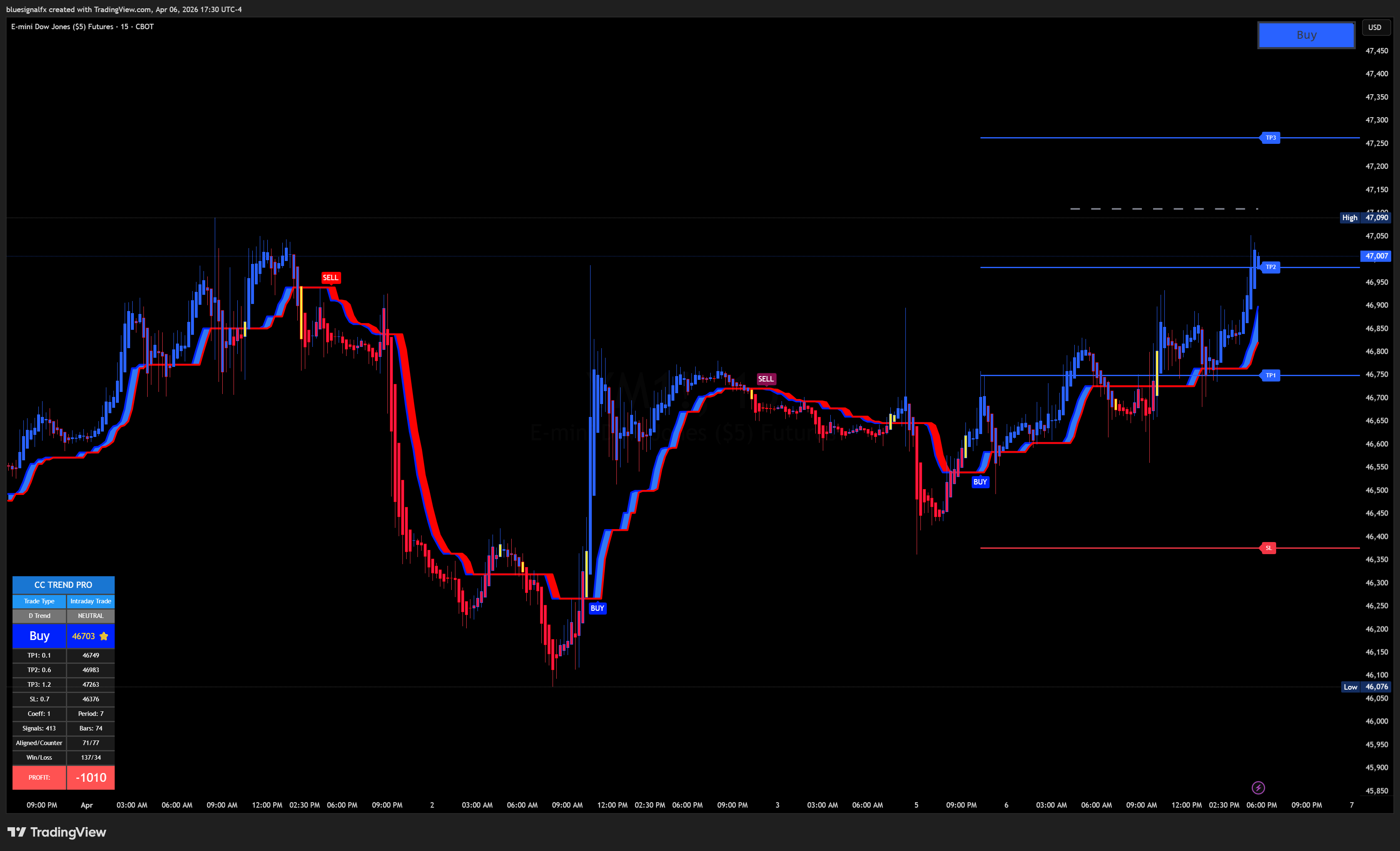
A fully proprietary, invite-only TradingView indicator built on AlphaTrend-derived logic with multi-timeframe alignment and a 3-tier early entry system. Unlike most indicators, CC Trend Pro does not repaint — what you see is what triggers a trade.
- No-Repaint Signals — entries lock when confirmed. No bait-and-switch after the candle closes.
- 3-Tier Take Profit System — scale out at TP1, TP2, and TP3 for maximum capture on trending moves.
- Auto Stop-Loss — dynamic SL placement based on ATR and structure, never static.
- Early Entry System — Watch → Confirm → Main signal hierarchy for early positioning.
- Multi-Symbol Dashboard — scan multiple pairs simultaneously from one chart.
- Heikin Ashi Candle Overlay — smoothed visual representation for trend clarity.
Telegram VIP Signals
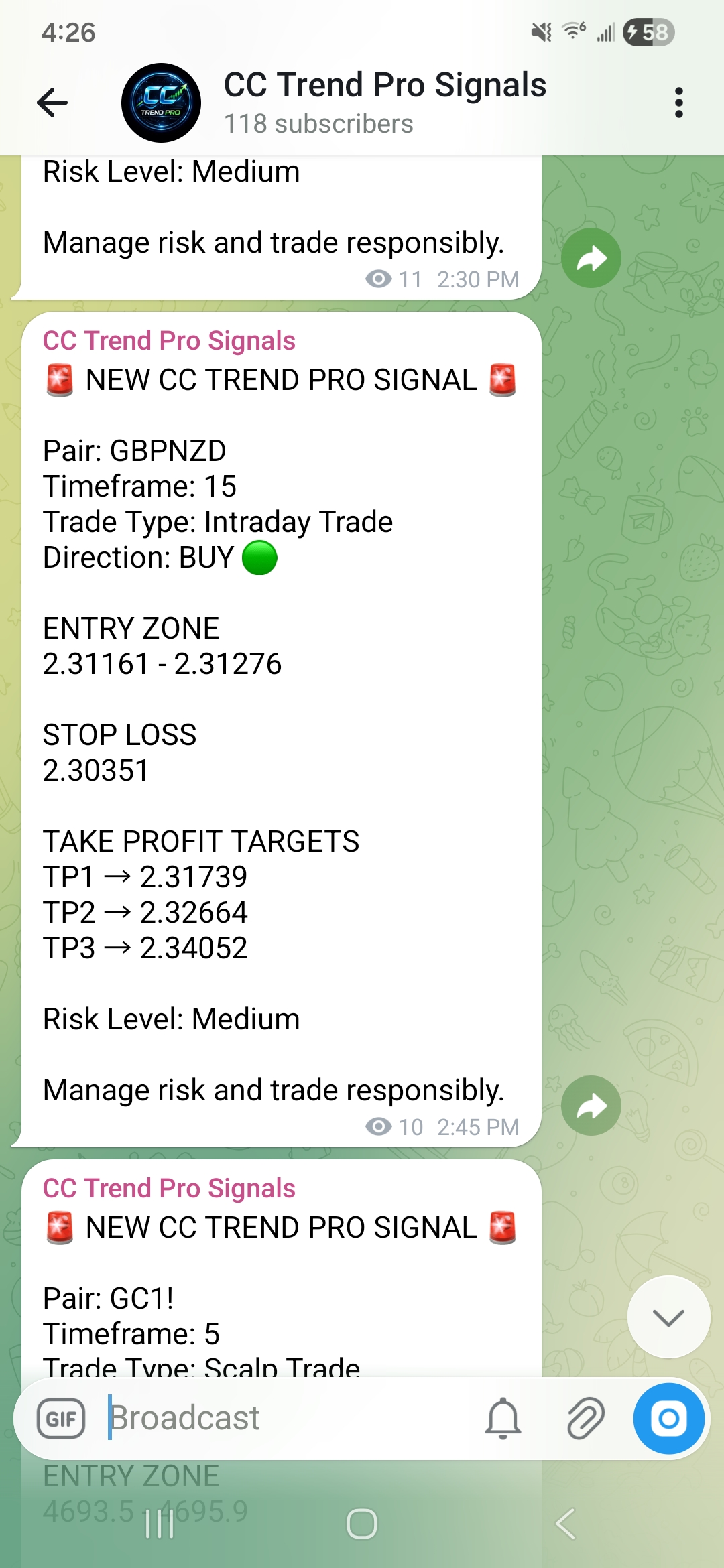
Don't want to stare at charts all day? Our private Telegram channel delivers curated, high-confidence trade calls directly to your phone. Every signal includes full context — not just entry numbers.
- Live Trade Alerts — real-time signals with full entry, SL, and TP details.
- Trade Management Updates — know when to move SL to breakeven, take partials, or exit.
- Market Commentary — understand the WHY behind each trade call.
- Mobile Notifications — Telegram push alerts so you never miss a setup.
- Exclusive Access — private, paid-member only. Not available anywhere else.
CC Trend Pro Trading Bot
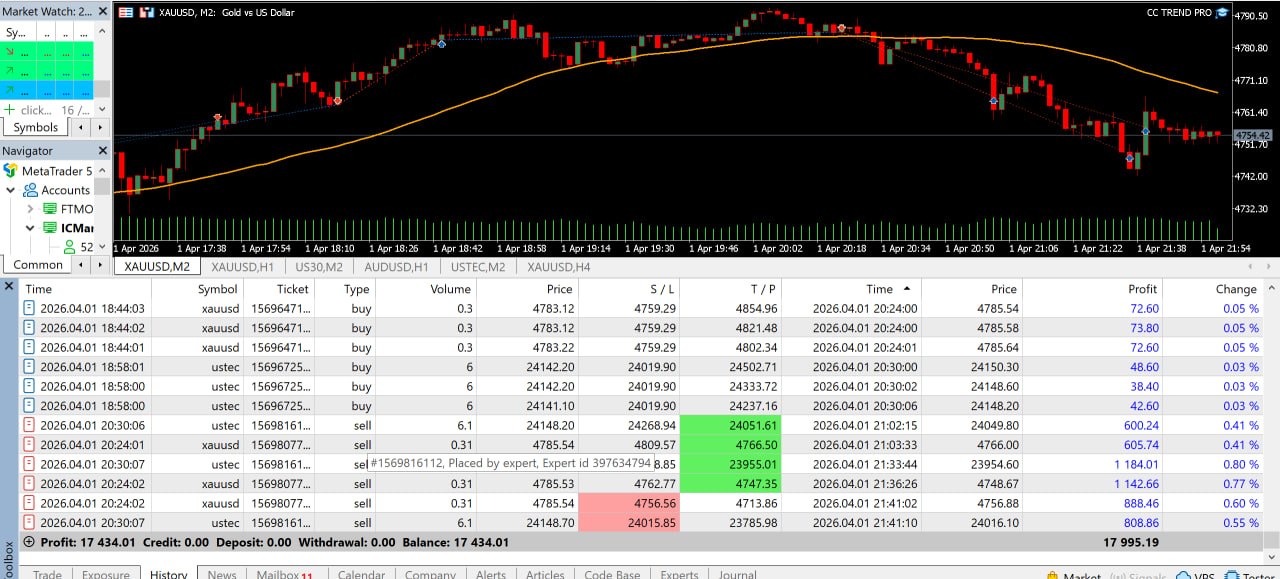
The CC Trend Pro Expert Advisor (EA) is a fully automated trading bot for MetaTrader 5. It runs the same logic as the indicator — 24 hours a day, 5 days a week — so you never miss a trade setup.
- 24/5 Automated Execution — trades while you work, sleep, or travel.
- Built-In Risk Management — lot sizing, drawdown limits, and exposure controls.
- Session Filters — trade only London, New York, or specific overlaps.
- News Filters — automatic pause during high-impact news events.
- Multi-Split Take Profit — partial closes at TP1/TP2 to lock in gains.
- TradeLocker Compatible — also deployable on the TradeLocker platform.
CC ORB Indicator
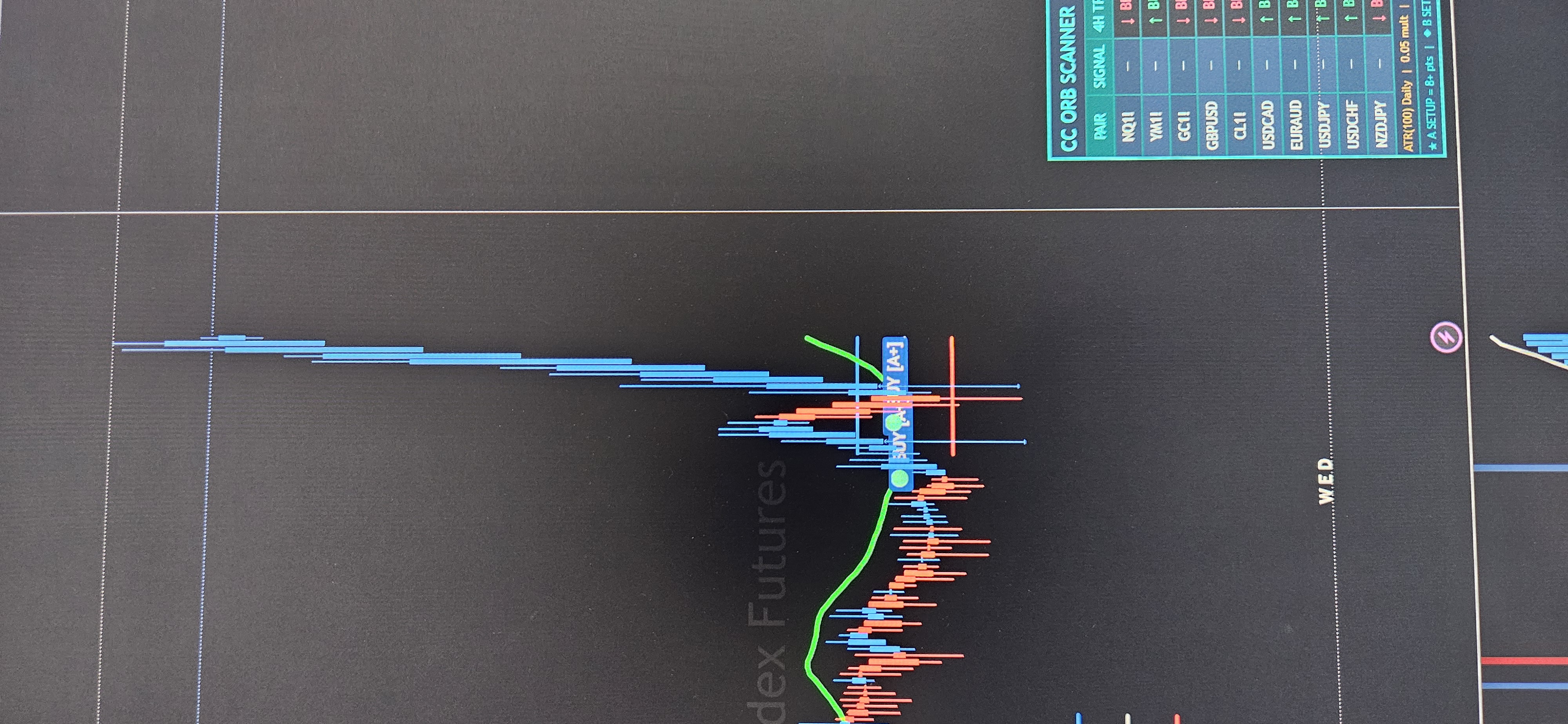
The CC ORB Indicator is a precision Opening Range Breakout tool built for TradingView. It identifies the morning opening range, then fires A+ and B Setup signals when price breaks with trend confirmation and ATR-calibrated momentum. Signals are clean, non-repainting, and built for high-conviction entries — not every candle.
- A+ & B Setup Signals — tiered signal quality so you always know how strong the setup is.
- Opening Range Visualization — clear markup shows the ORB zone directly on your chart.
- ATR-Based Stop Placement — dynamic stop and target levels calculated from daily ATR.
- Trend Confirmation Filter — entries only trigger when higher timeframe trend aligns.
- No-Repaint Logic — once a signal fires, it locks in — no after-the-fact repainting.
- Built-in Scanner Panel — CC ORB Scanner overlay shows multi-pair status from a single chart.
CC ORB Scanner v2
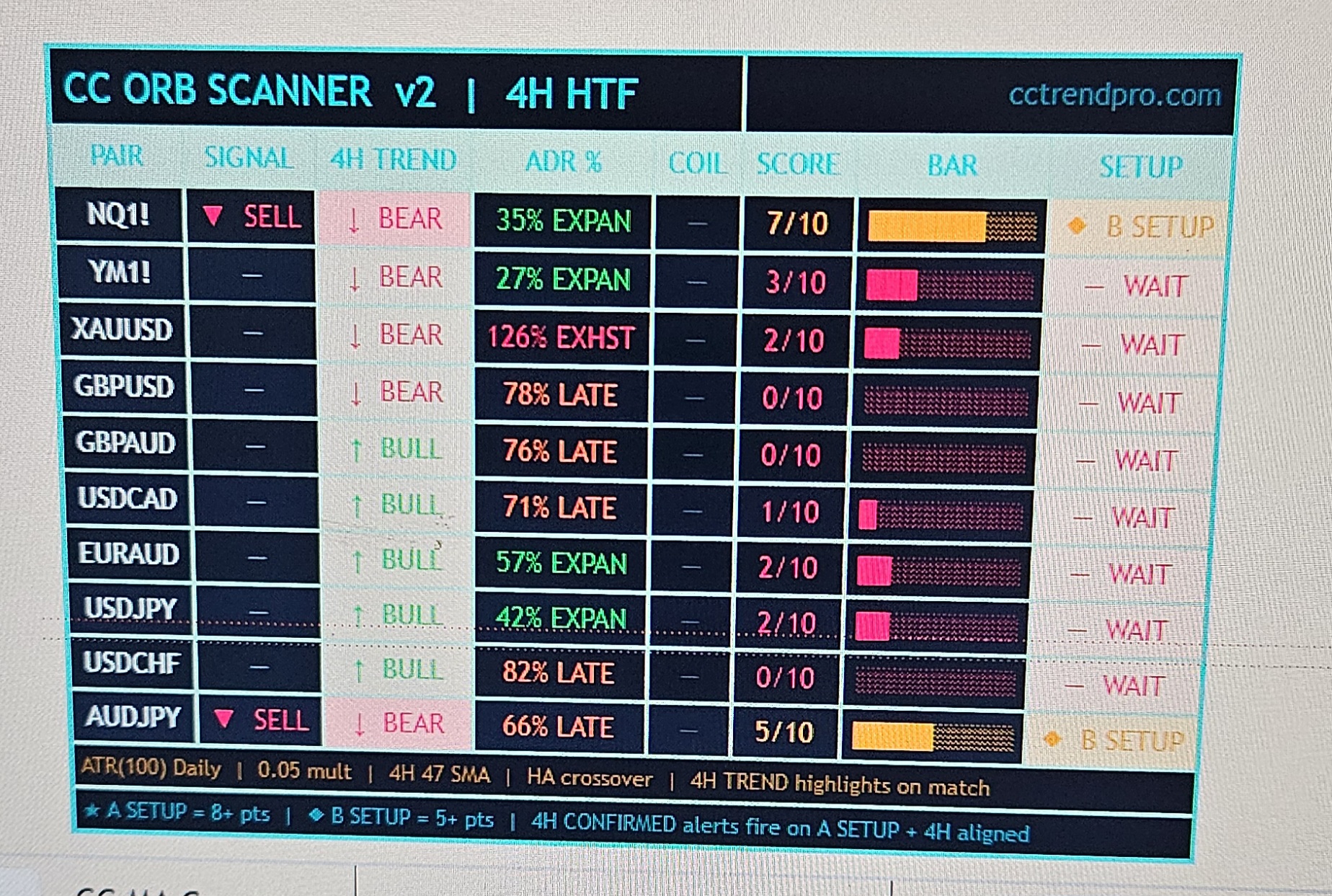
The CC ORB Scanner v2 watches up to 10 pairs at once and scores each against the full CC ORB criteria — so you never miss a setup by staring at the wrong chart. One dashboard gives you signal status, 4H trend direction, ADR expansion level, a 0–10 quality score, and a clear A Setup or B Setup classification, all in real time.
- 10-Pair Simultaneous Scan — monitors NQ1!, YM1!, XAUUSD, GBPUSD, GBPAUD, USDCAD, EURAUD, USDJPY, USDCHF & AUDJPY.
- Active Signal Detection — instantly spots live BUY or SELL signals across all pairs.
- 4H Trend Column — confirms bull or bear trend per pair so entries stay with momentum.
- ADR% Status — flags Expand, Late, or Exhausted so you know when the range is overextended.
- 0–10 Scoring System — objective quality rating; A Setup = 8+ pts, B Setup = 5+ pts.
- Auto Setup Classification — A SETUP and B SETUP labels tell you exactly what to act on.
Get the Full System for $197
⚡ Get Started NowResults & Proof
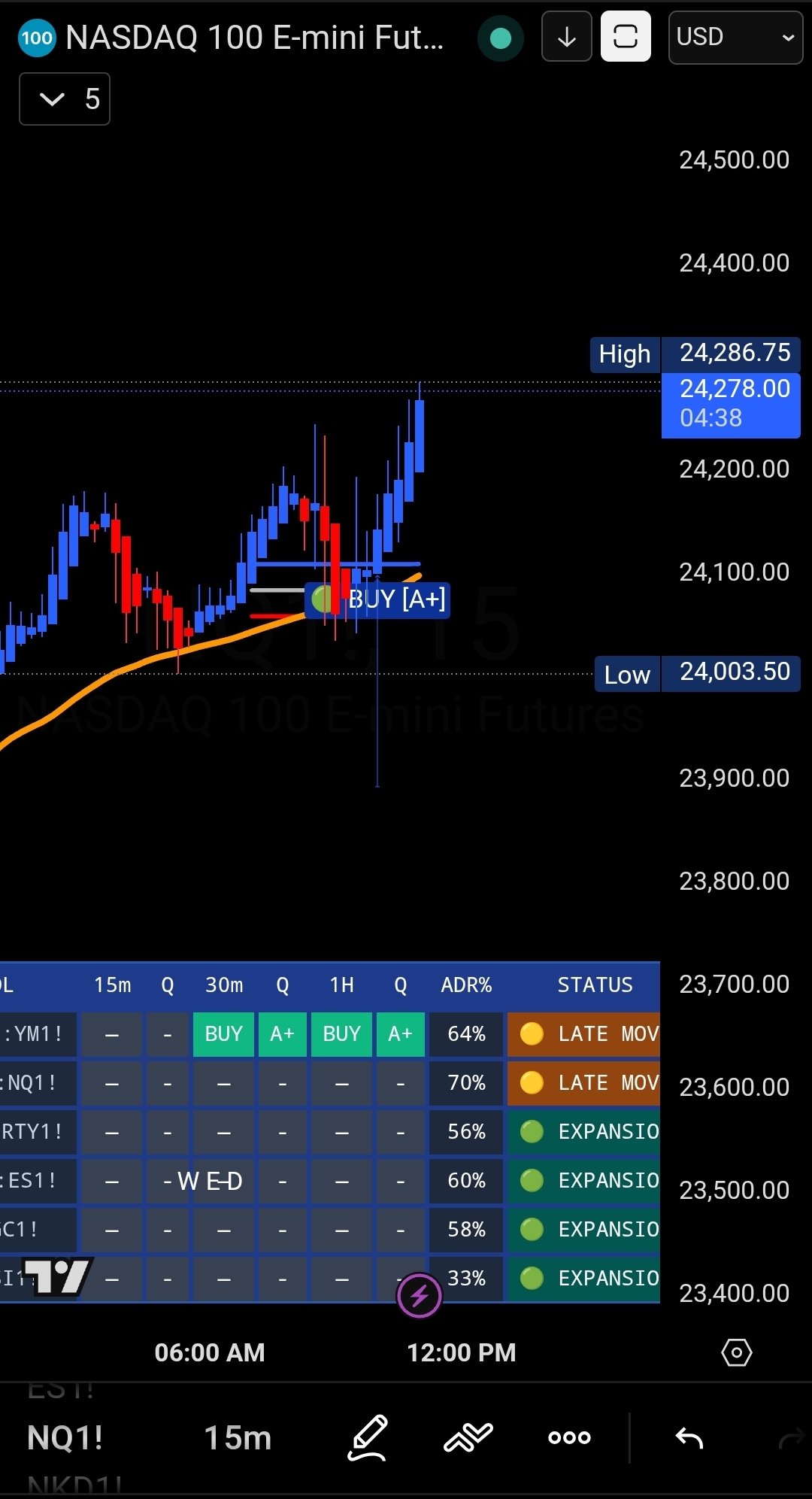
Real trades, real accounts, real results. Updated regularly by community members and the CC Trend Pro team.
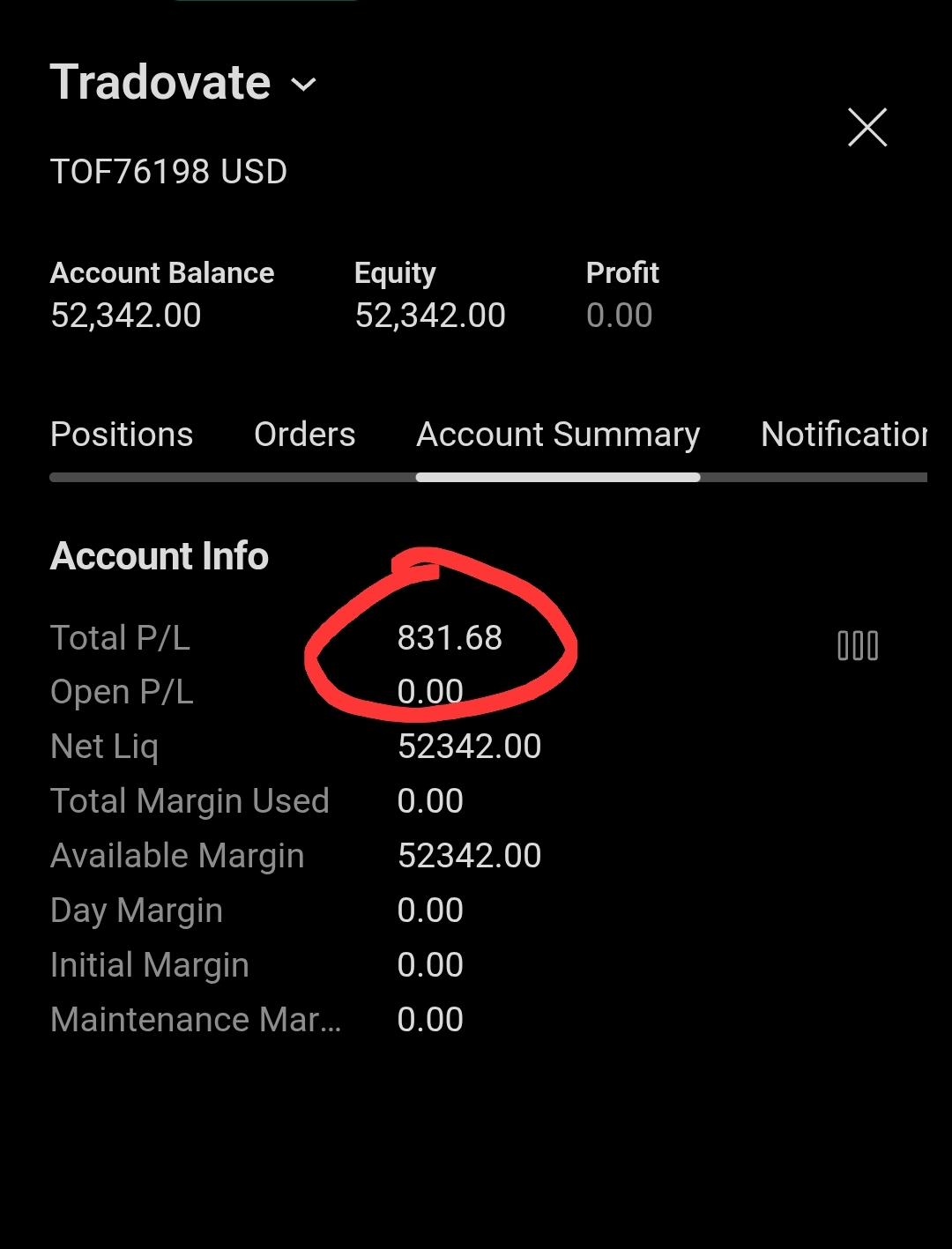
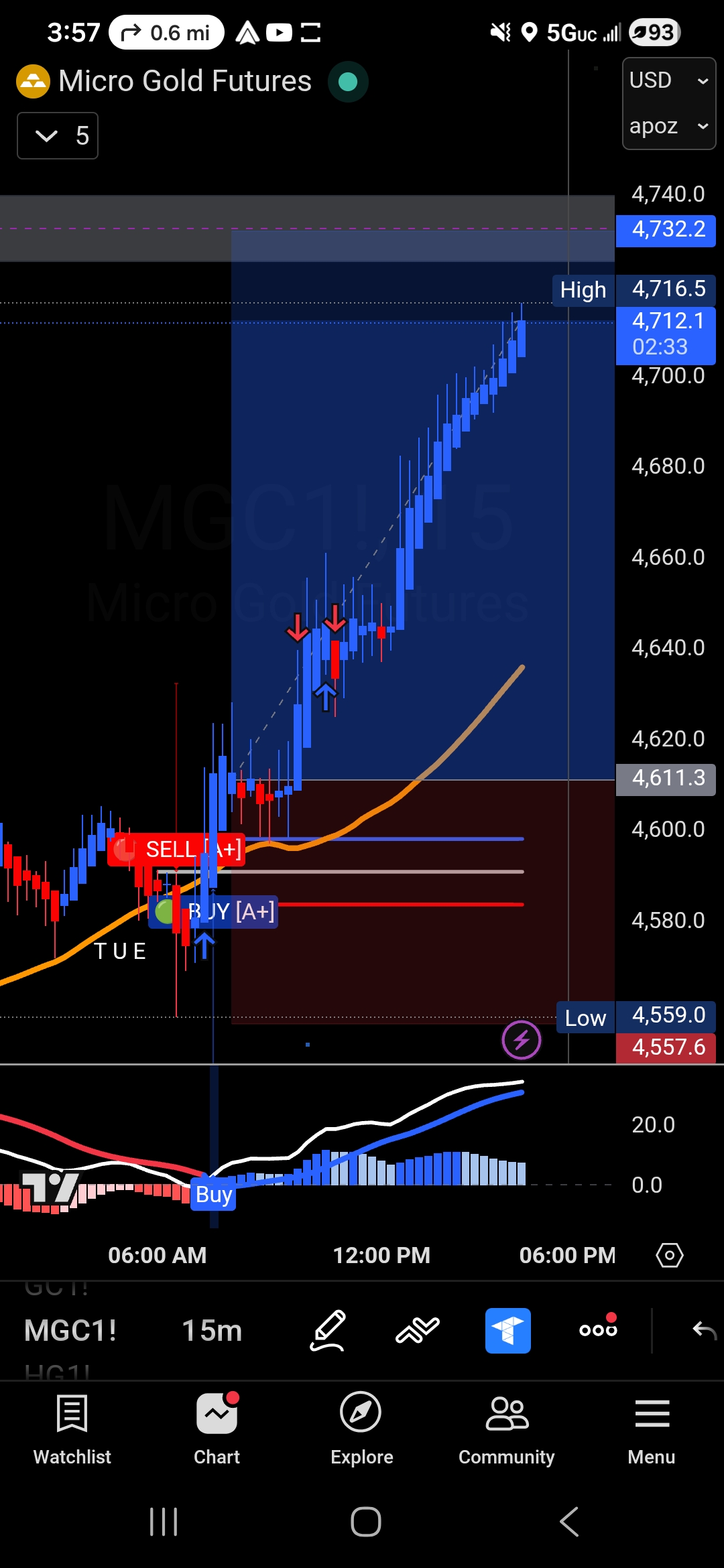
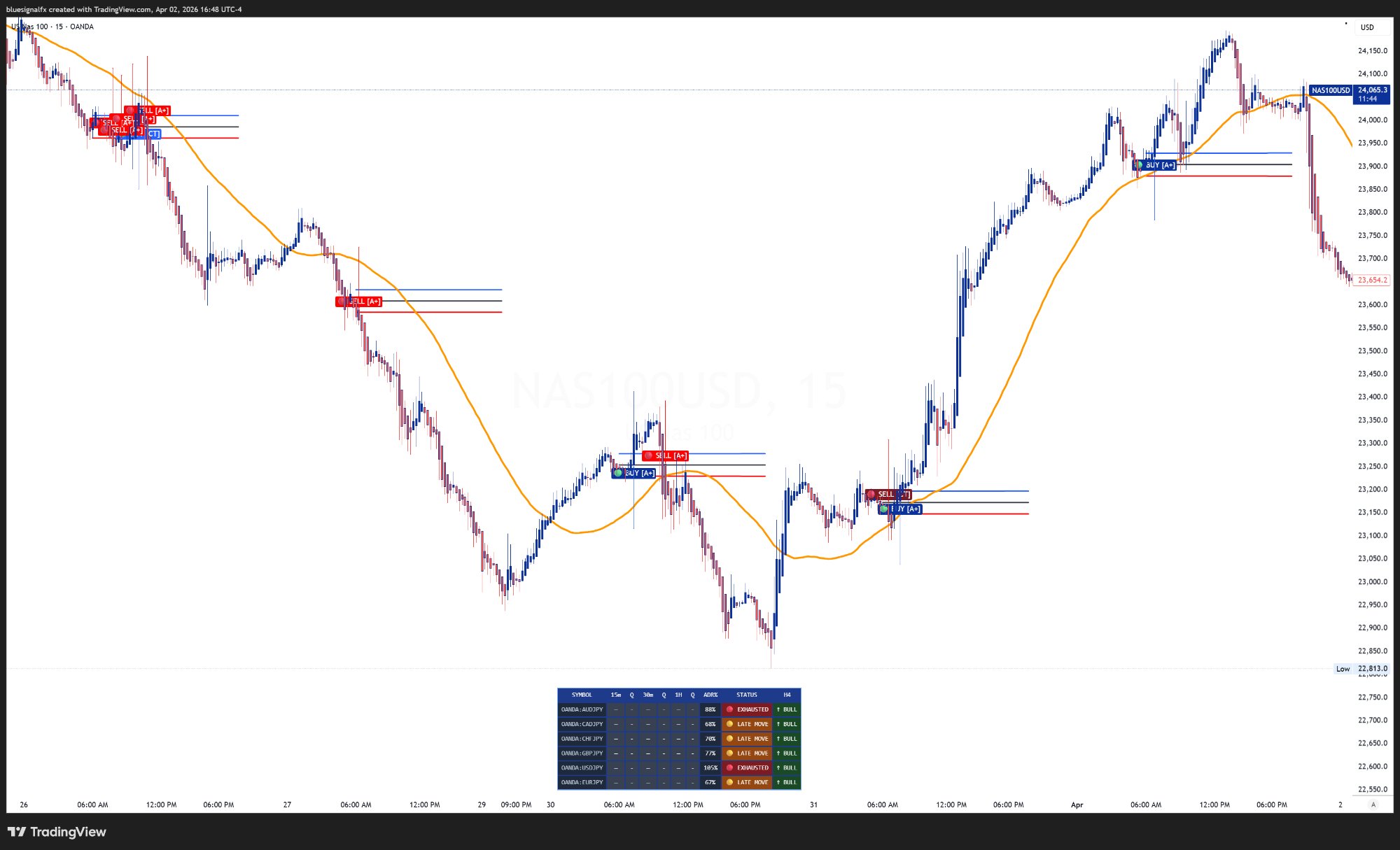
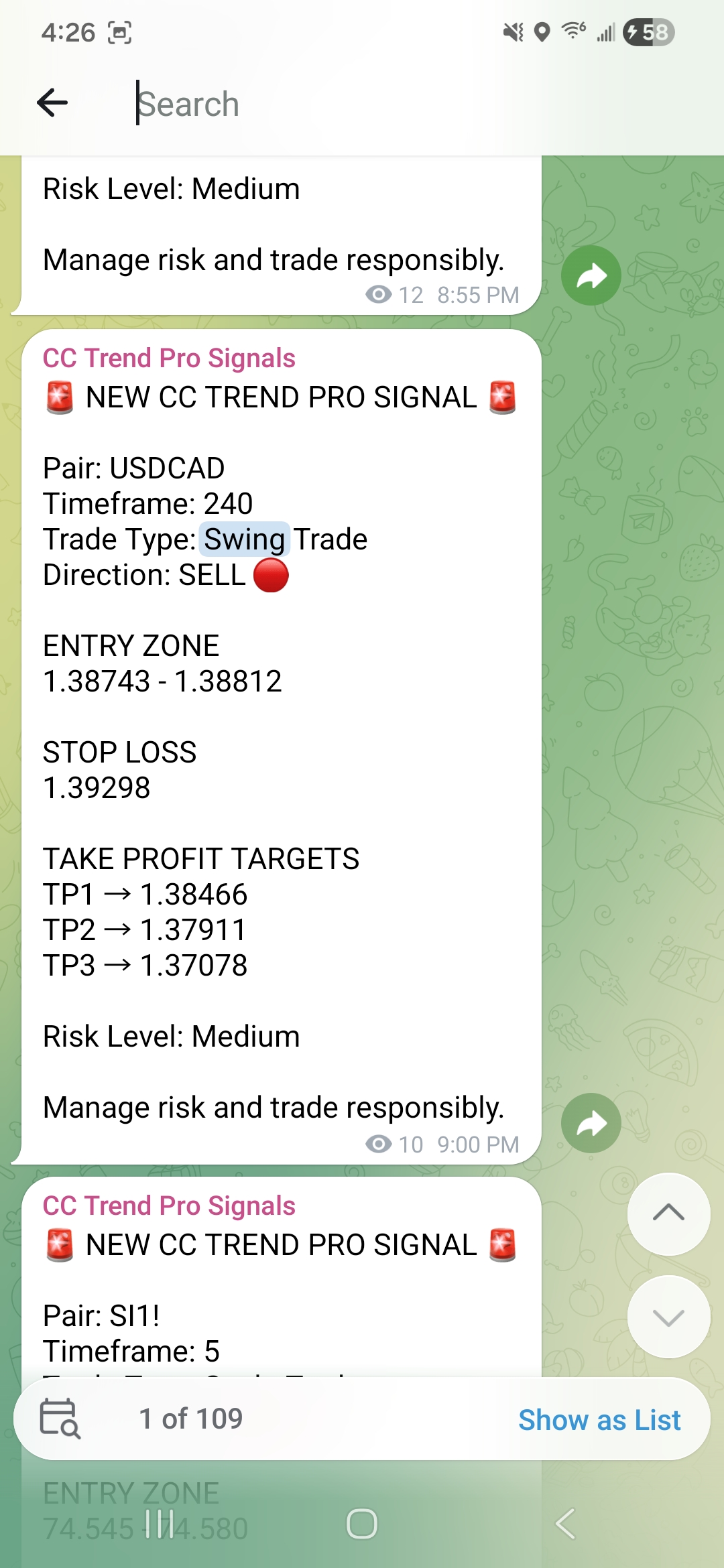
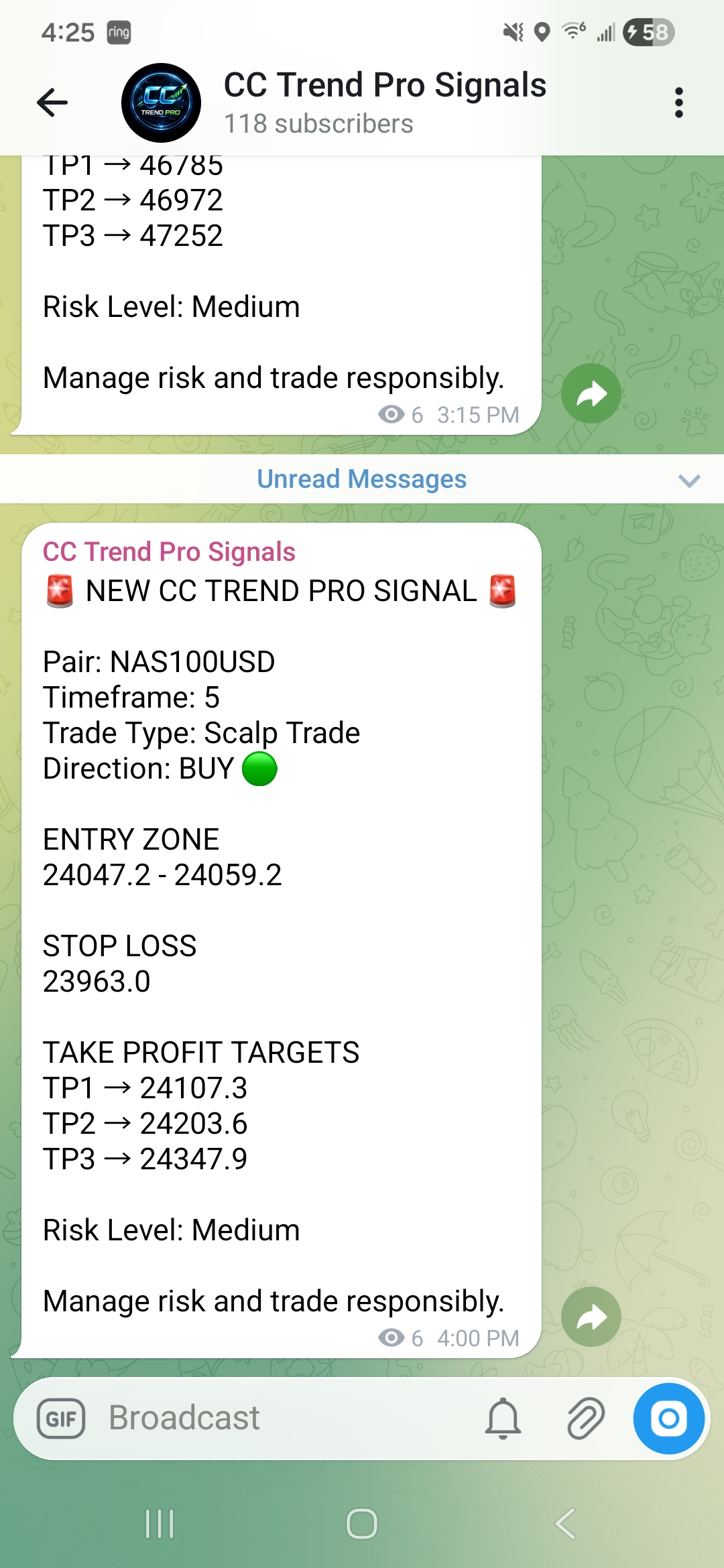
Bot ran for 3 weeks straight. I checked in a couple times. Up 18% on the account. Genuinely shocked.
I follow the Telegram signals manually during lunch and I'm up 40 pips on average per week. Simple process.
The indicator combined with the signals is next level. I use both together and my win rate went from 40% to over 70%.
Every CC Trend Pro member qualifies to earn $100 per referral — paid directly to you, on your terms.
The Simplest Affiliate Model in Trading
No complex funnels. No confusing dashboards. Just share your link, get paid.
Get Your Link
Your unique referral URL lives in your dashboard. One click to copy and share anywhere.
Share It
Post on social, text friends, drop it in DMs. The replicated website explains everything for you.
Get Paid
Buyers pay $100 directly to you via Cash App, Zelle, PayPal, Venmo, or crypto. You keep it all.
Why This Model Works
💰 You Control Payment
Choose how buyers pay you — Cash App, Zelle, PayPal, Venmo, crypto — whatever works for you. No platform holds your money.
🌐 Replicated Website
Your referral link loads a version of this site with YOUR payment details. Buyers see exactly how to pay you before completing their purchase.
⚡ Instant Pay
No waiting for weekly payouts. When someone pays you, you have the money immediately — no delays, no platform takes a cut.
📈 No Cap
Refer 1 person or 100 — every sale pays you $100. There are no tiers, no thresholds, and no expiration on your link.
Affiliate Setup Preview
Ready to Start Earning?
Get CC Trend Pro first. Then start sharing and earning from day one.
⚡ Get Access — $197Upgrade to CC Trend Pro
Two payments. One system. Total: $197 one-time — no monthly fees.
Send $100 to your affiliate using any method below. This goes directly to them — we never touch this payment.
Ask affiliate
Ask affiliate
Ask affiliate
Ask affiliate
Ask affiliate
Your affiliate will confirm receipt and unlock Step 2.
Your affiliate has been notified. Once they confirm your $100 payment, the Whop purchase button will unlock automatically. This usually happens within a few minutes.
Complete Step 1 and wait for affiliate confirmation to unlock Whop payment.
The four things I log into every trading day. Updated whenever I switch.
UPDATED OCTOBER 2026Disclosure: some links are affiliate links. If you sign up through them I may earn a commission at no extra cost to you.
Trading forex, futures and CFDs carries a high level of risk and may not be suitable for everyone. Nothing on this page is financial advice. Check each provider's current terms before signing up.
📡 Live Signals
Real-time trade calls with pair, direction, entry zone, stop loss, and all take profit levels.
🔄 Trade Updates
Active trade management — know when to move SL to BE, take partials, or close early.
📚 Education
Weekly market breakdowns and strategy sessions to sharpen your edge.
👥 Community
Connect with other CC Trend Pro members and share results in the group.
Install MT5
Download and install MetaTrader 5 from your broker. Compatible with most MT5 brokers and TradeLocker.
Copy & Compile EA File
Place the .mq5 file in: MT5 → File → Open Data Folder → MQL5 → Experts. Then open it in MetaEditor and click Compile (F7).
Refresh & Attach
Refresh the Navigator, drag the EA onto your chart (XAUUSD or target pair recommended).
Configure & Enable
Set your lot size, risk %, and session preferences. Enable AutoTrading. The bot handles the rest.
People who signed up through your referral link and owe you $100.
to change email
When anyone clicks this link and buys, they see YOUR payment details and pay YOU $100 directly.
Configure Your Payment Methods
CC ORB Scanner v2
Stop hunting for setups manually. The CC ORB Scanner v2 scans multiple pairs simultaneously — filtering for 4H trend alignment, ADR%, and coil conditions — and surfaces only the highest-probability A+ breakout setups in real time.
1-on-1 With Vinnie
Step into a private, high-impact 1-on-1 session with Vinnie, a full-time trader and creator of the CC Trend Pro System — a complete trading ecosystem built for precision, consistency, and real results.
This isn't theory. This is execution.
In this personalized session, Vinnie breaks down the markets using his proven CC Trend Pro framework, combining market structure, trend-based logic, and timing tools like CC ORB and VTC to help you stop guessing and start trading with clarity.
Every session is tailored to you — your goals, your experience level, and your current challenges in the market. Whether you're just getting started or looking to tighten up your edge, this session is designed to give you actionable insight you can apply immediately.
No fluff. No overcomplication. Just a clear path to better trades.
🗓️ BOOK MY SESSION →
Bryant Barbee
With over 29 years of experience, Bryant started trading in 1997 — when trading wasn't done on computers as it is today. He cut his teeth in Commodities, then moved to Options on Commodities and Stocks, before entering Forex in 2001, Crypto in 2010, and the Prop Firm Futures space.
He's transitioned from a chaotic beginner to a disciplined, consistent trader — and since 2008 has coached many students from simulated trading and inconsistent results to real, repeatable performance. He believes in "savoring the journey" and matching your personality to your trading style.
His methodology centers on pure Price Action and Market Structure — using Cycles to identify key structural levels rather than lagging indicators. He uses only non-lagging tools: CC Trend Pro, VTC, and CC ORB for flawless execution.
Live Market Analysis
Watch Vinnie break down the charts in real time using the CC Trend Pro indicator before and during the session.
Live Trade Entries
See real entries, stop losses, and take profit levels set live — no hindsight, no cherry-picking.
Q&A & Community
Ask questions during the session and learn alongside other members in a relaxed, coffee-fueled environment.
Create Your Account
Join CC Trend Pro — Invite Only